Free during the beta. Atlascope is in development: join now and use all nine tools at no cost.Request access

LavaSEQ · bulk and single-cell RNA-seq

Analyse an RNA-seq experiment, bulk or single-cell

Bulk or single-cell RNA-seq, from the count matrix to the report: quality, DESeq2 or limma, enrichment.

Request access Open LavaSEQ

Version 5.0.0, released 8 November 2026. One account for the whole suite; during the beta, access is switched on by hand, usually within a day.
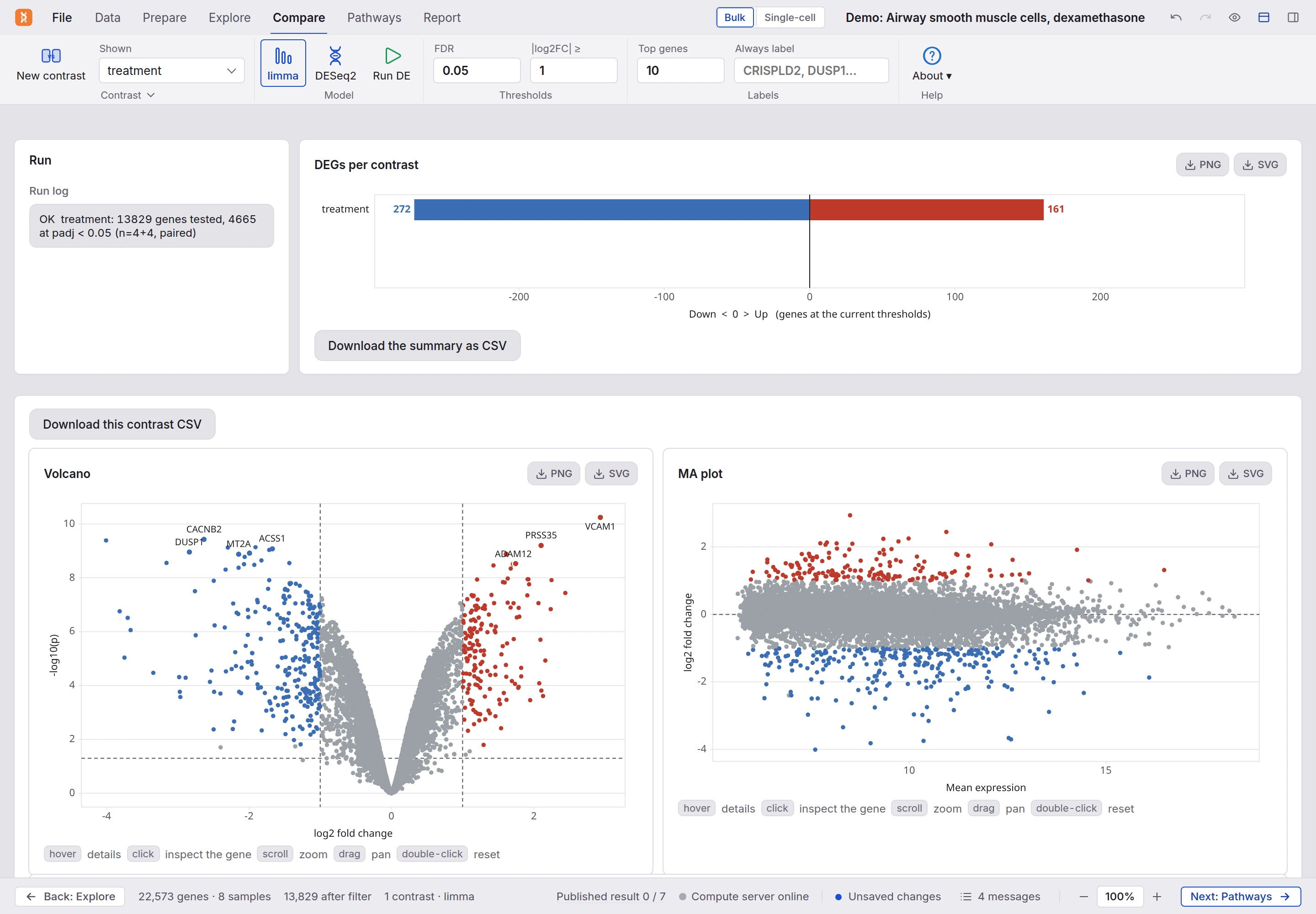
LavaSEQ on the Compare tab: Data, Prepare, Explore, Compare, Pathways and Report as tabs in the menu bar with Bulk and Single-cell beside the analysis name, the ribbon with the contrast, the model, the thresholds and the labels, the run log, the number of genes up and down, and the volcano and MA plots below.
Airway smooth muscle cells with dexamethasone: limma, 161 genes up and 272 down.

LavaSEQ

What it does

Each stage of the analysis is a tab in the menu bar with its own ribbon, laid out like Word, and Back and Next at the bottom walk you through them. A message at the top of each screen names the action of the moment, with its button. The statistics that need R (DESeq2, limma, ComBat, fgsea) run on the Atlascope server as jobs; the rest runs in your browser. Each screen below is the app as it runs, photographed on a published dataset.

QC · total signal per sample

Quality first, and the sample you may have to drop

Check each sample before the analysis, and see the one you may have to drop.
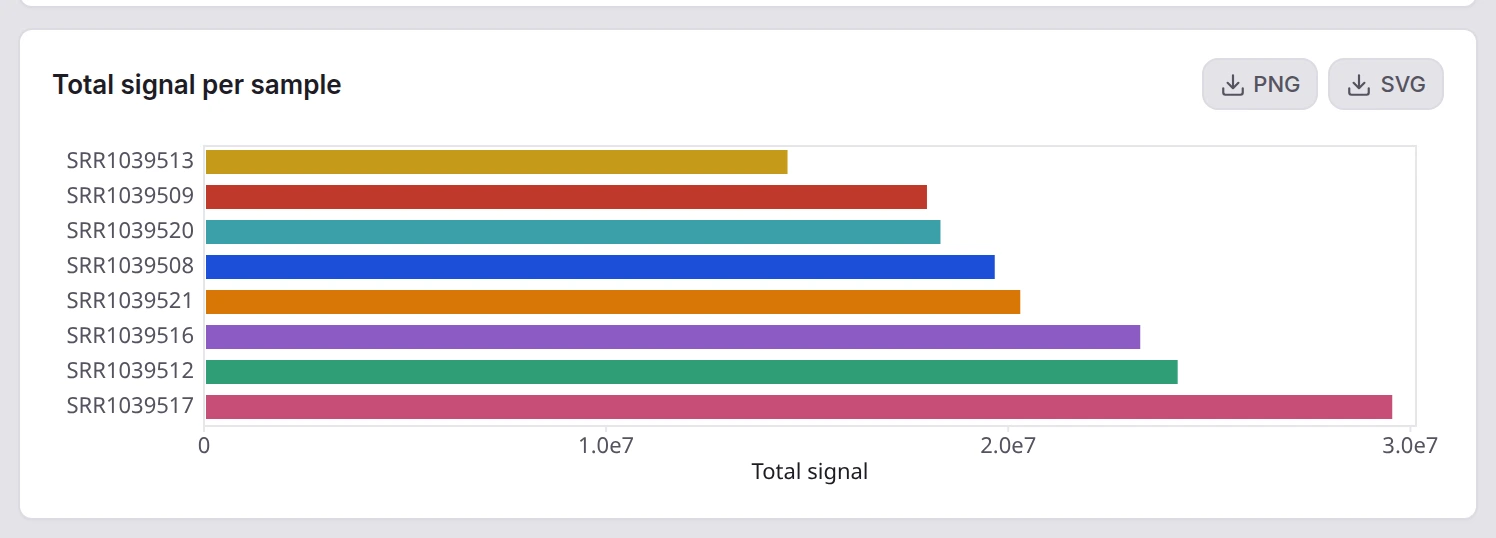
The quality control on the Data tab: total signal per sample as a bar chart, one bar per sample, with PNG and SVG downloads.
Total signal per sample

DE analysis · the volcano of one contrast

Differential expression, with the plots that judge it

DESeq2 or limma on your contrast, with the volcano and the plots that judge it.
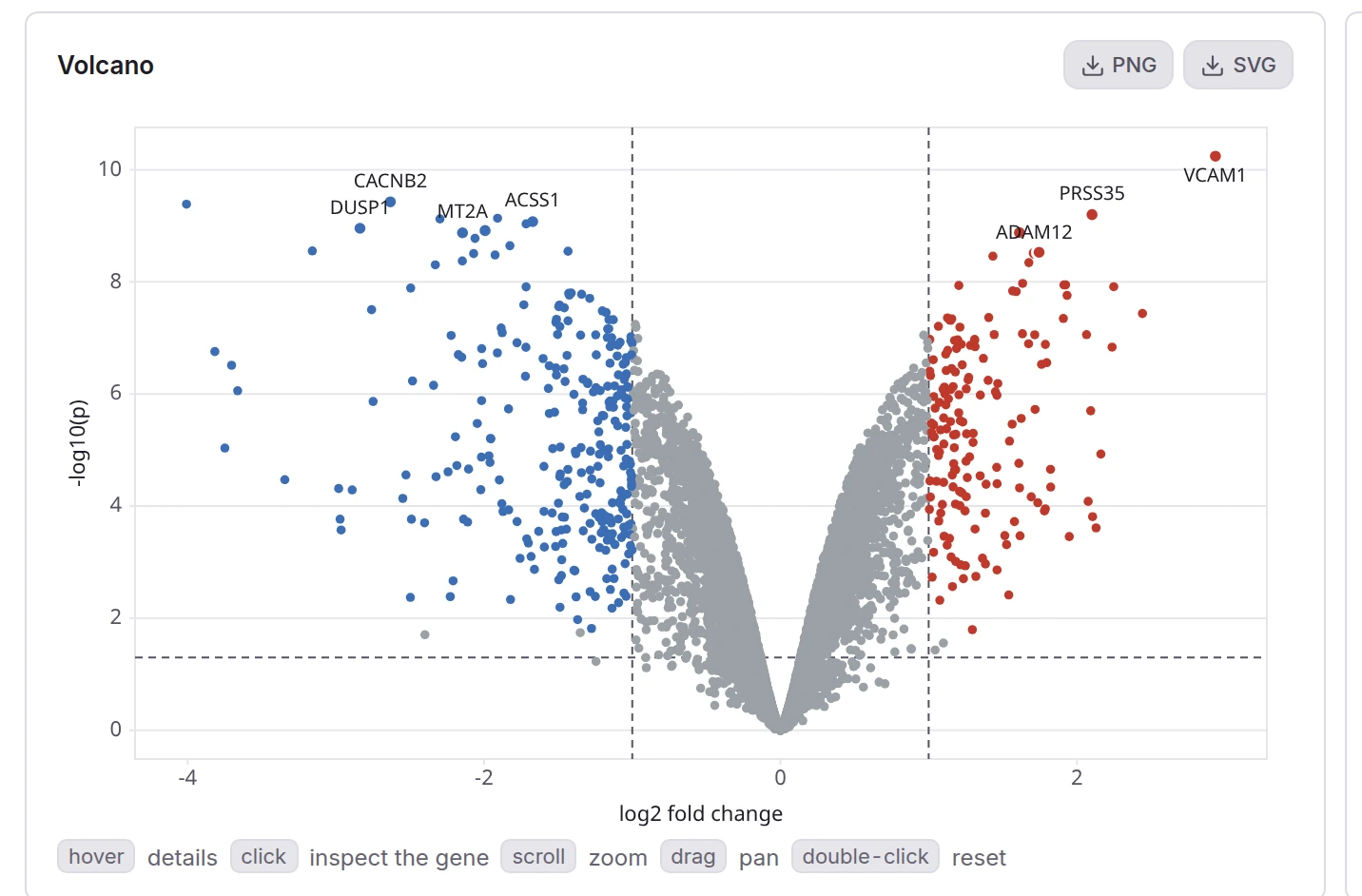
The volcano plot of a contrast: significance against log fold change, the significant genes coloured, the top ones labelled with their gene symbol.
The volcano of one contrast

Report · the preview is the print

One report, with the methods already written

A printable report with the methods already written.
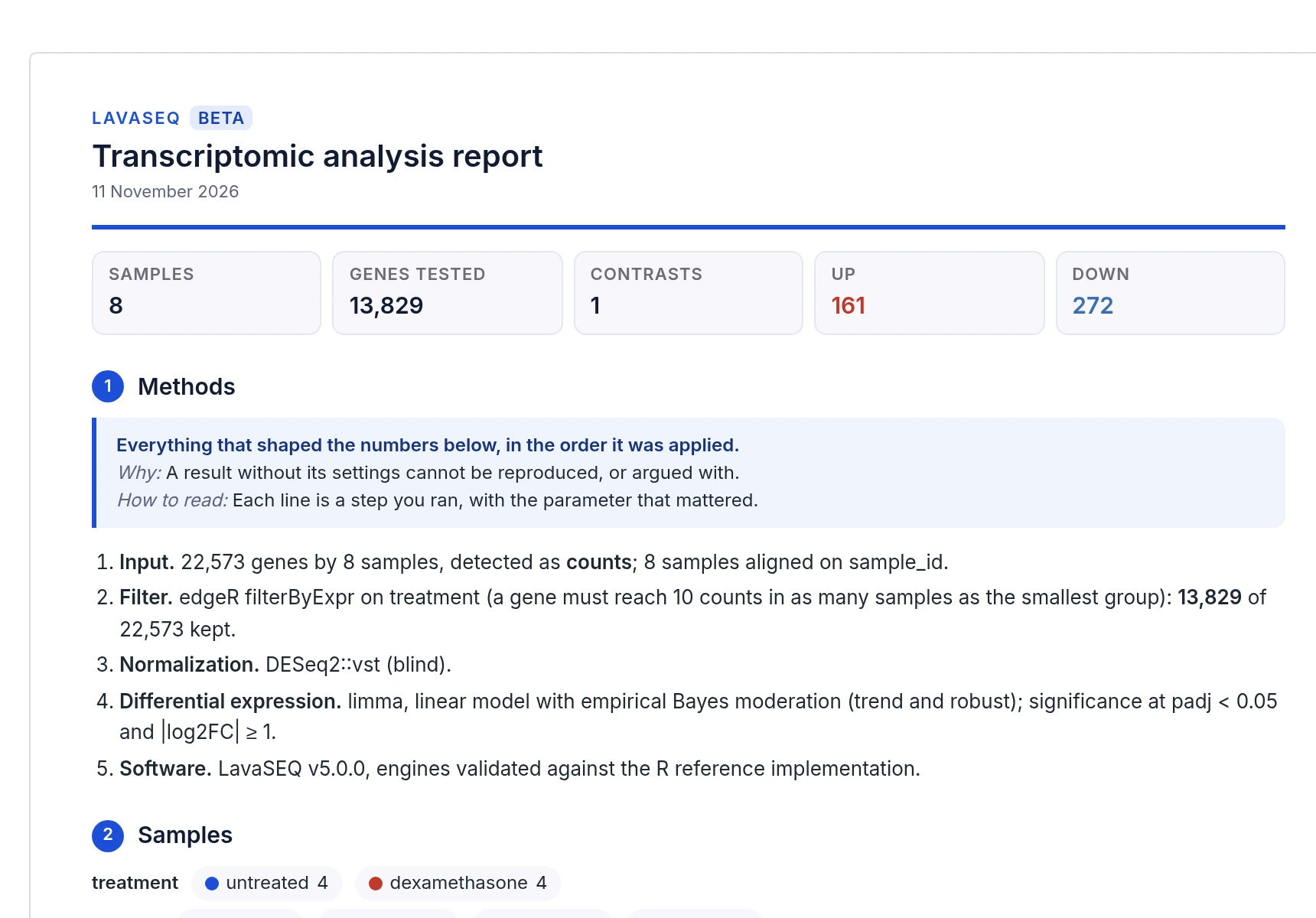
The Report tab: the preview of the printed document, with its title, the samples, genes tested, contrasts and genes up and down, then the methods written out step by step.
The report

Version 5.0.0

Specifications

What LavaSEQ reads, writes and computes, as of version 5.0.0.

Show all 8 specifications
Input
Count matrices and metadata as csv, tsv, txt, xlsx, xlsm, xls or ods; a CellRanger folder (matrix.mtx, features.tsv, barcodes.tsv, gzipped or not) or .h5; h5ad; .lavaseq. A Seurat or DESeq2 .rds is recognised and refused with the R script that converts it.
Output
Every table as CSV, every figure as PNG or SVG, the report printed or saved as PDF through the browser, the interpretation as Markdown, .lavaseq.
Bulk
QC, filtering and normalisation, DESeq2 and limma contrasts, batch correction, volcano and MA plots, fgsea against MSigDB Hallmark, GO, KEGG or Reactome, over-representation, deconvolution.
Single-cell
QC and doublets, normalisation, Harmony, UMAP, Leiden clusters, markers, reference annotation, conditions compared by pseudobulk.
Report
One report with the methods already written; the preview is the print.
Where the data lives
Tables are read on your computer. The matrix is sent to the server for the R steps and comes back as results. The analysis saves to your account or to a .lavaseq file, with a draft kept in the browser.
Verification
476 comparisons at every build: edgeR, limma and DESeq2 for bulk, Scanpy 1.12 for single-cell.
Runs in
A current browser; installs as an app where a .lavaseq or .h5ad file opens by double click.

What changed

Release notes

LavaSEQ, last 3 releases. The full list, by tool and by version, is on the release notes page of getatlascope.com.

All release notes

Access

Getting in

LavaSEQ is one of the nine tools of Atlascope. One account opens all of them. During the beta, we switch new accounts on by hand, usually within a day.

Bring the count matrix waiting on your desktop.

Eleven steps later you have a volcano, a set of pathways and a report whose methods are already written.

One account for LavaSEQ and the whole Atlascope suite. If you already have one, sign in. Forgot your password?

Signed in as

Your Atlascope workspace · Sign out

Atlascope

The other eight tools

Same account, same way of working.

All nine tools on getatlascope.com