Free during the beta. Atlascope is in development: join now and use all nine tools at no cost.Request access

CytoMix · flow panels, mix, titration and gating

Design a flow panel, then mix it and gate it

Build the panel and CytoMix scores it and names the dyes that clash. From the same panel come the master mix, the titration and the gating strategy.

Request access Open CytoMix

Version 9.3.5, released 10 November 2026. One account for the whole suite; during the beta, access is switched on by hand, usually within a day.
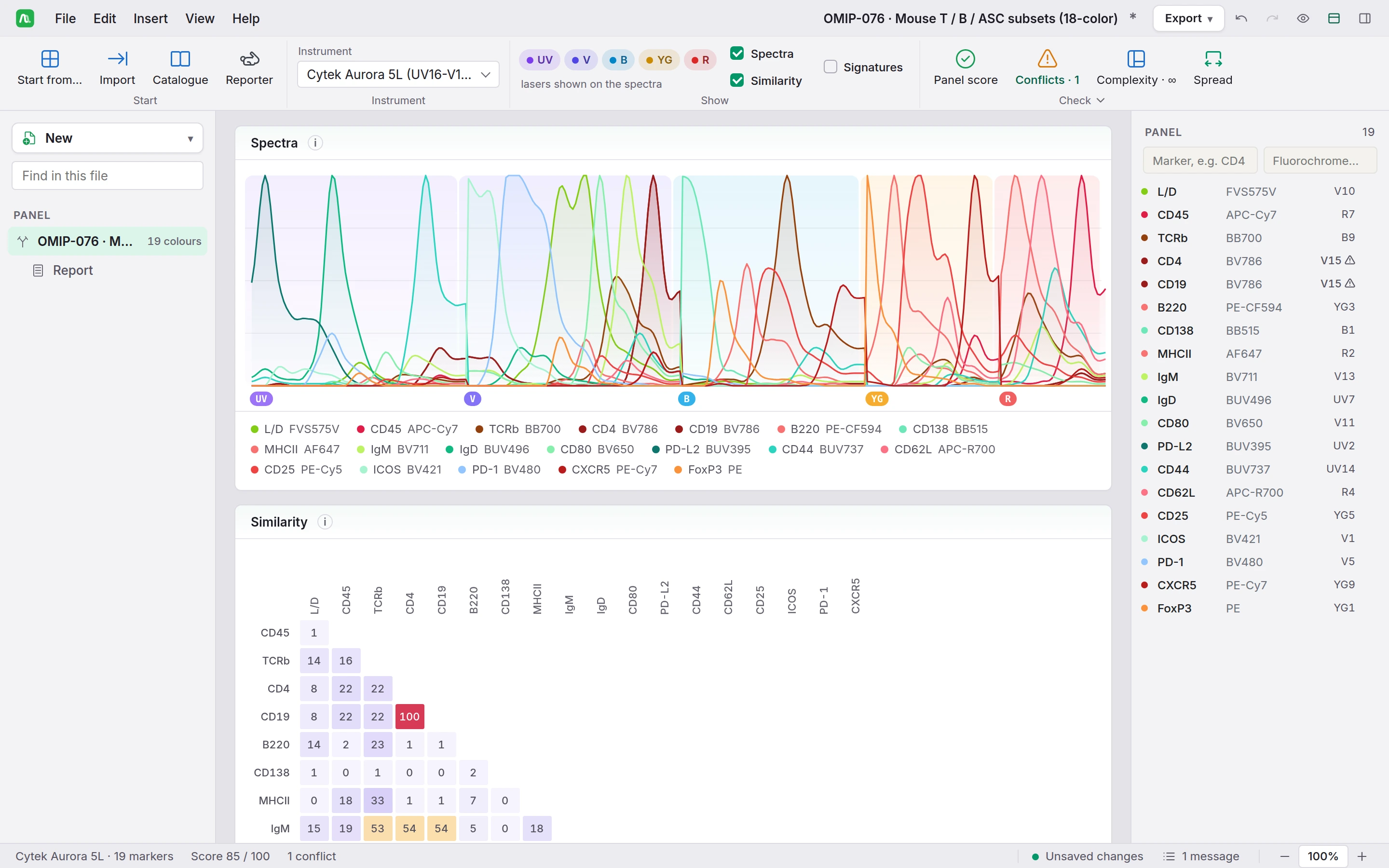
CytoMix on OMIP-076, a nineteen-marker mouse panel on a 5-laser Cytek Aurora: the File, Edit, Insert, View and Help menus, the ribbon with Start, Instrument, Show and Check, the emission spectra by laser, the similarity matrix with CD4 and CD19 at 100, and the panel list on the right with each marker, its dye and its peak channel.
OMIP-076, a nineteen-marker mouse panel on a 5-laser Aurora.

CytoMix

What it does

A panel is a file: its mixes, its titrations, its gating strategy and its report are listed under it on the left, each with its own ribbon. The screens below are the app as it runs on OMIP-076, the mouse T, B and antibody-secreting cell panel it opens as an example.

Design · score and conflicts of a nineteen-marker panel

Read the conflicts before you order a vial

A score out of 100, and each conflict named with what to do.
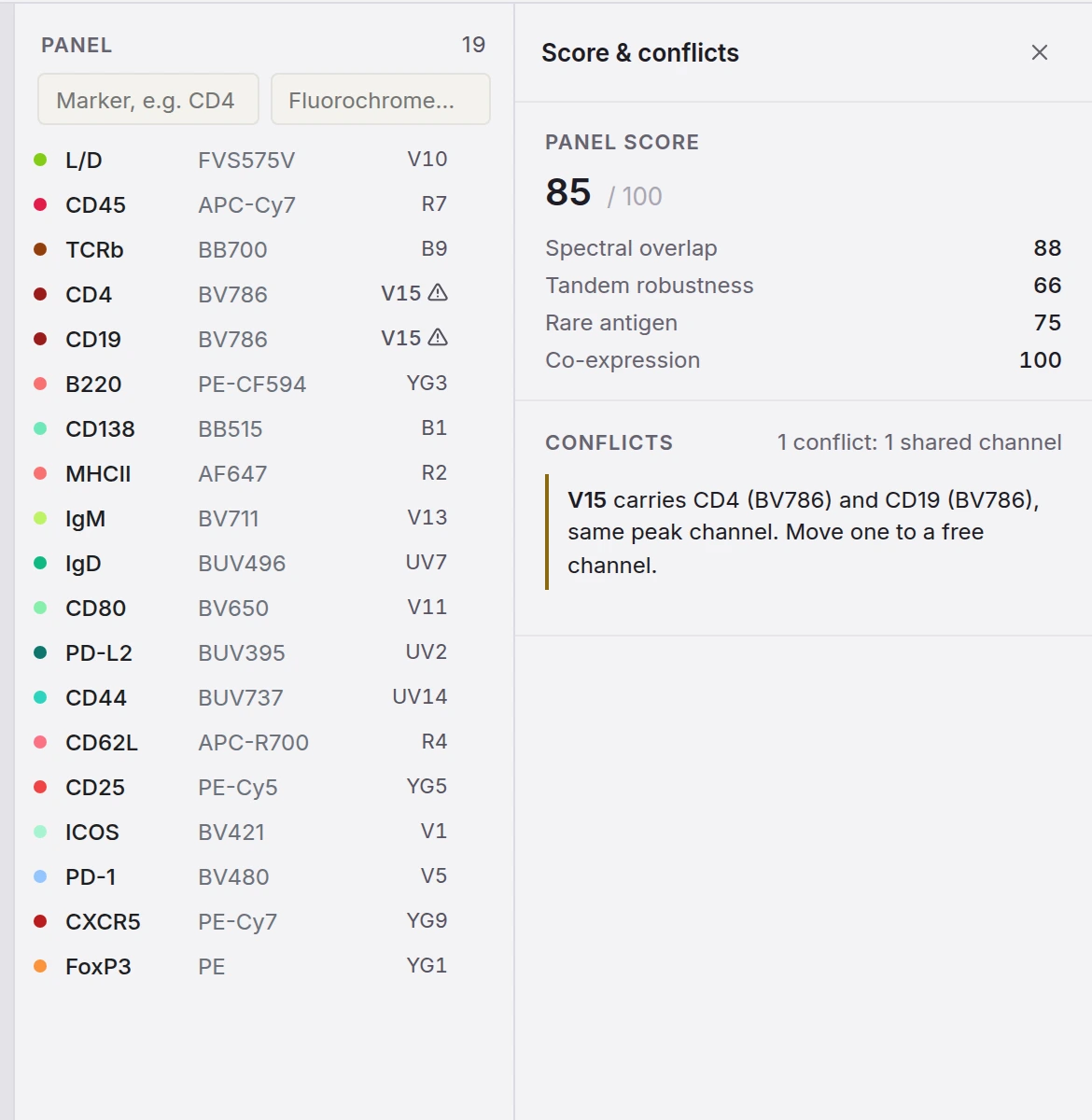
The Score and conflicts panel beside the marker list of OMIP-076: a panel score of 85 out of 100, with spectral overlap 88, tandem robustness 66, rare antigen 75 and co-expression 100, and one conflict, V15 carrying CD4 and CD19 on BV786, the same peak channel.
Score and conflicts of OMIP-076

Master mix · nineteen antibodies, every volume computed

The cross-multiplication of your Excel sheet, live

Every antibody volume falls out of its dilution, with the bench sheet in pipetting order.
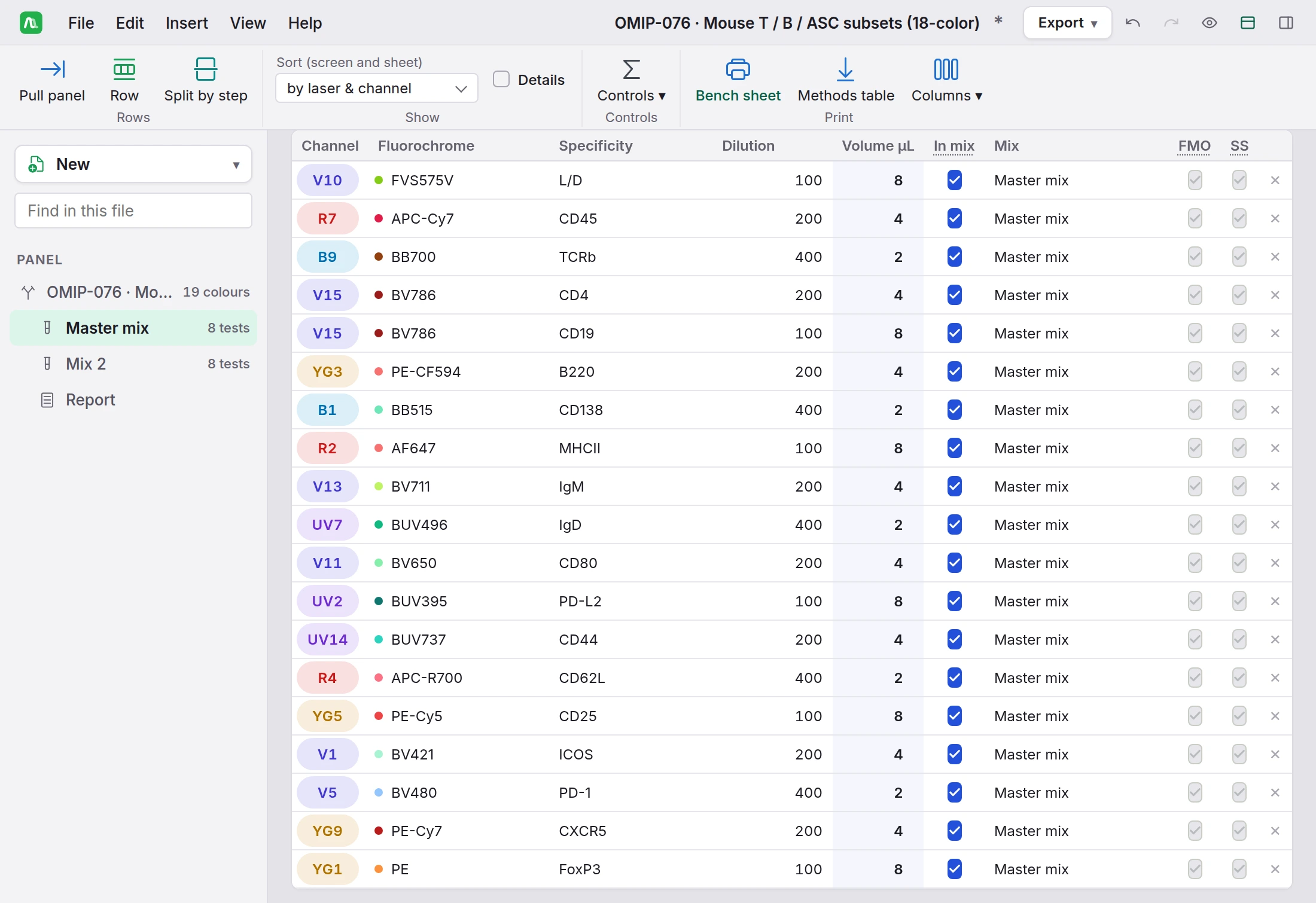
The Master mix of OMIP-076: one row per antibody with its peak channel, fluorochrome, specificity, dilution from 1/100 to 1/400 and the volume computed from it, 8, 4 or 2 µL for eight tests of 100 µL, and the FMO and single stain columns.
The master mix of OMIP-076

Gating · a published strategy, adapted to your panel

The gating figure you would draw in a paper

A published strategy adapted to your markers, then sent to FlowScope.
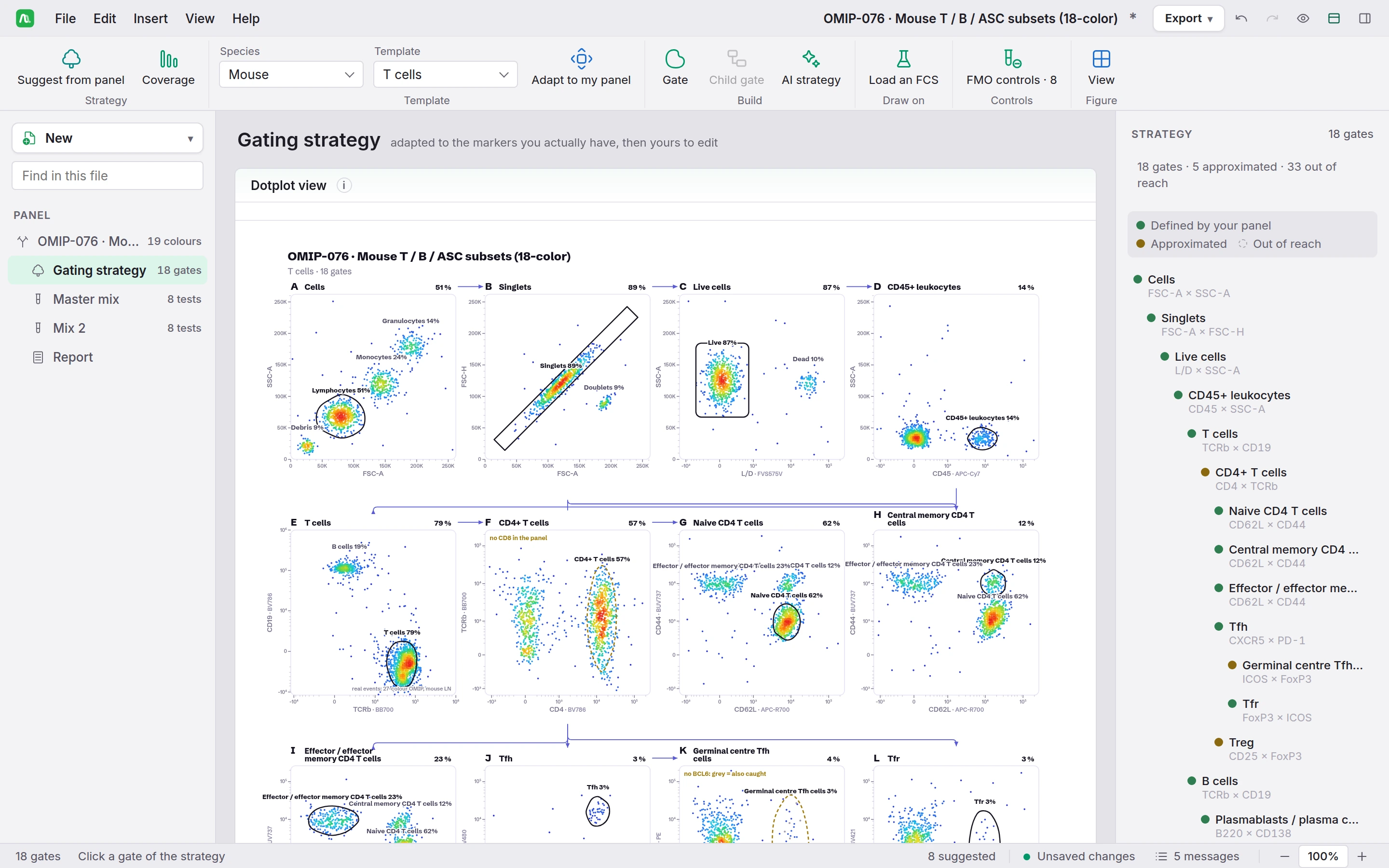
The gating strategy of OMIP-076, eighteen gates: lettered dot plots from cells, singlets and live cells to CD45 positive leukocytes, T cells, CD4 T cells and their naive, central memory, effector memory, Tfh, germinal centre Tfh and Tfr subsets, and the tree on the right with each gate marked as defined by the panel or approximated.
The gating strategy of OMIP-076

Version 9.3.5

Specifications

What CytoMix reads, writes and computes, as of version 9.3.5.

Show all 10 specifications
Input
An antibody table as xlsx, xls, csv or tsv, or pasted from Excel anywhere on the page; a Cytek Cloud panel PDF; a published OMIP; an FCS file to draw the gating strategy on a real acquisition; .cytomix.
Output
Panel, antibodies for methods and protocol as XLSX or CSV; spectra and gating figures as SVG, PNG or PDF, and as DOCX or PPTX; bench sheet, titration plan and strategy printed; a strategy template (.fstpl) for FlowScope; box and plate plans for Plaquo.
Panel design
The full emission spectrum of every dye across the detectors, filtered laser by laser; cosine similarity dye against dye; each conflict named with its reason.
Master mix
Every volume computed to the microlitre from the dilutions; buffers and blockers with their doses; a pre-dilution offered for a volume too small to pipette; an antibody table for your methods, without volumes.
Titration
A series or a list of your own, on a plate or in a rack, with the diluent volumes and the serial transfer written out, archived per clone.
Gating strategy
The figure you would draw in a paper, gate by gate, drawn on a real FCS if you load one.
Catalogue
Eight suppliers, filtered by marker, dye, supplier and reactivity, with the clone and catalogue number dropped into the panel.
Where the data lives
Nothing is uploaded. One .cytomix file, or your account, with a draft kept in the browser.
Verification
8 853 comparisons with R at every build: spectra, spillover and mix volumes.
Runs in
A current browser; installs as an app with its own window, light or dark theme.

What changed

Release notes

CytoMix, last 3 releases. The full list, by tool and by version, is on the release notes page of getatlascope.com.

All release notes

Access

Getting in

CytoMix is one of the nine tools of Atlascope. One account opens all of them. During the beta, we switch new accounts on by hand, usually within a day.

Bring the panel you are arguing about.

Paste it from Excel and read its conflicts before you order a single vial.

One account for CytoMix and the whole Atlascope suite. If you already have one, sign in. Forgot your password?

Signed in as

Your Atlascope workspace · Sign out

Atlascope

The other eight tools

Same account, same way of working.

All nine tools on getatlascope.com